AI-fotoherkenning
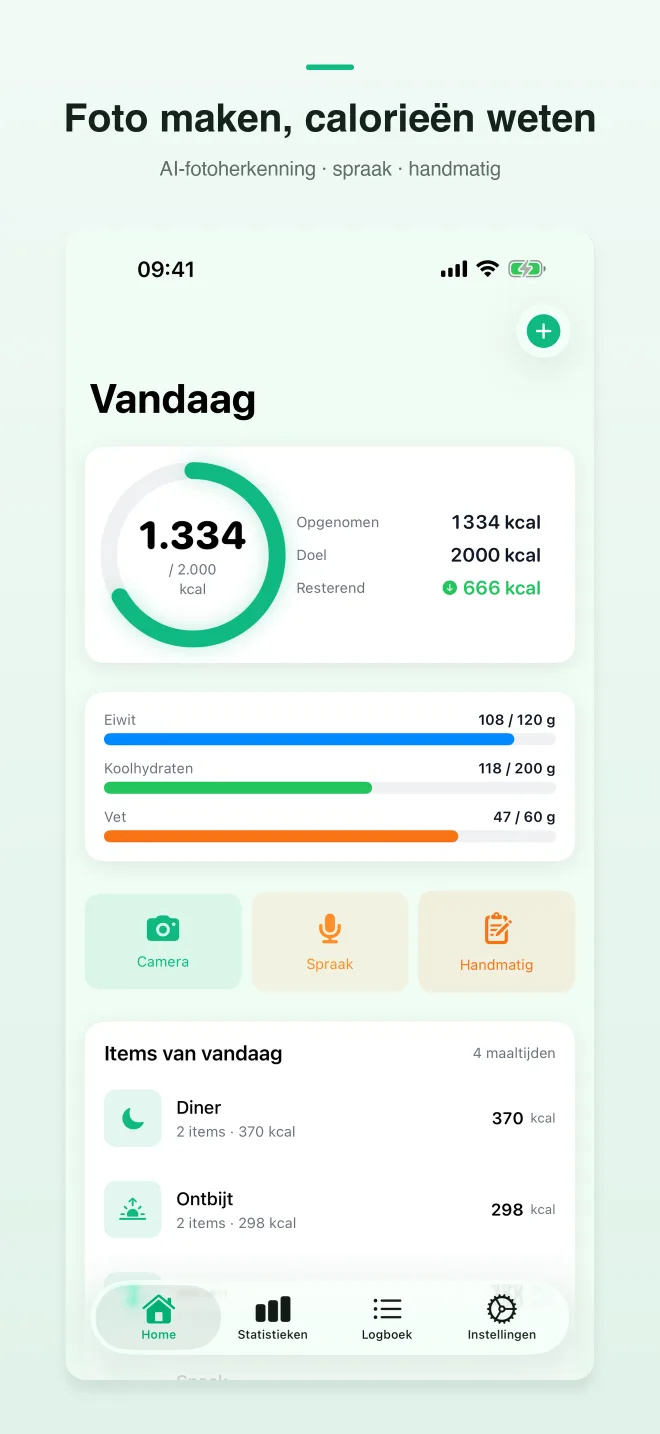
Fotografeer je bord en krijg een schatting van calorieën, eiwitten, koolhydraten en vet. Pas de porties met één tik aan.
CalShutter
Fotografeer je bord en krijg een schatting van calorieën, eiwitten, koolhydraten en vet. Pas de porties met één tik aan.
Gratis beginnen · iOS 17+ · Geen advertenties
Live voorbeeld
CalShutter
Fotografeer je bord en krijg een schatting van calorieën, eiwitten, koolhydraten en vet. Pas de porties met één tik aan.
In het kort
Fotografeer je bord en krijg een schatting van calorieën, eiwitten, koolhydraten en vet. Pas de porties met één tik aan.
TL;DR · Fotografeer je bord en krijg een schatting van calorieën, eiwitten, koolhydraten en vet. Pas de porties met één tik aan.
Fotografeer je bord en krijg een schatting van calorieën, eiwitten, koolhydraten en vet. Pas de porties met één tik aan.
De app draait op iOS 17.0 of nieuwer en is gebouwd door TaoApex Limited.
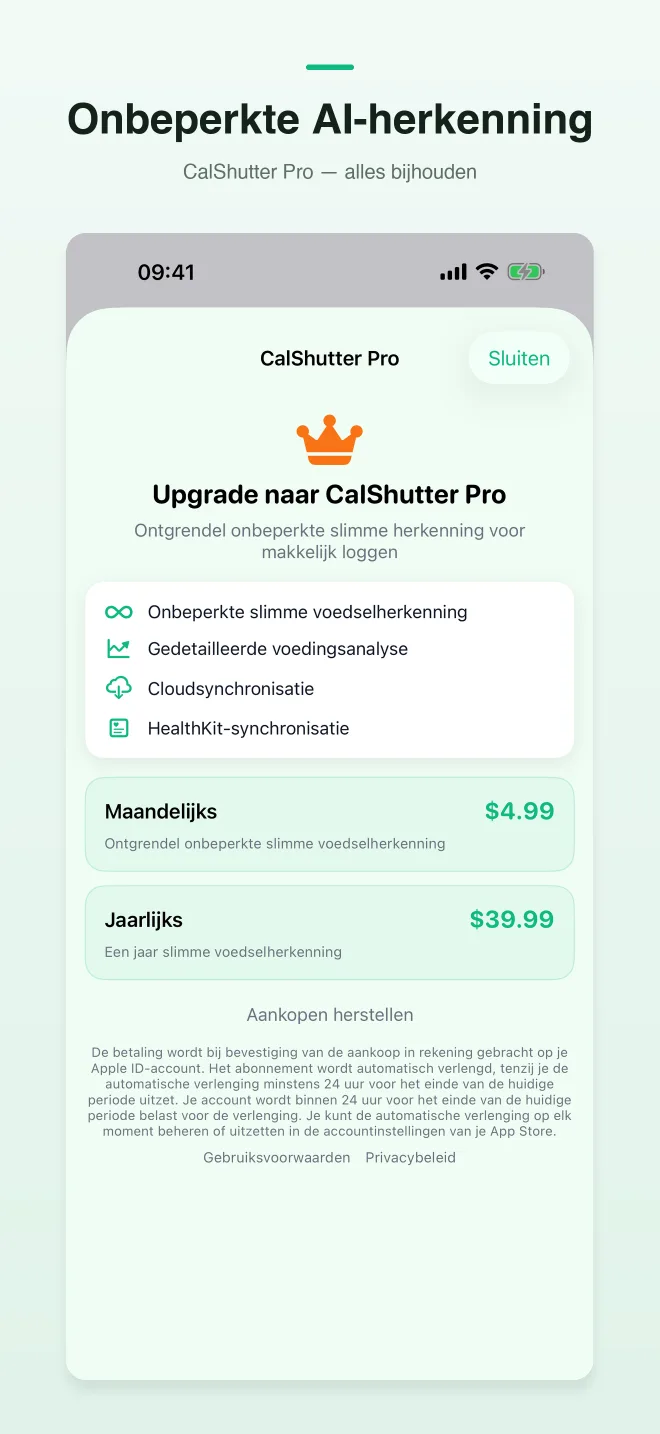
De gratis versie dekt Voldoende om de gewoonte op te bouwen, Dagelijks macro-dashboard, Apple Health-gewichtsynchronisatie; Pro (Vanaf $4,99/maand) ontgrendelt Onbeperkte AI voor intensieve gebruikers.
Kernfuncties: AI-fotoherkenning, In-spraaklogboek, Dagelijkse macro’s, Apple Health-sync.
De werkwijze is kort: Fotografeer de maaltijd → AI-fotoherkenning → Blijf consequent.
De app is bedoeld voor Mensen die andere trackers opgaven omdat het vastleggen te lang duurde.
Support: support@taoapex.com.
Mogelijkheden
Fotografeer je bord en krijg een schatting van calorieën, eiwitten, koolhydraten en vet. Pas de porties met één tik aan.
Als een foto niet kan, vertel je gewoon wat je hebt gegeten. CalShutter maakt daarvan een overzichtelijke maaltijd.
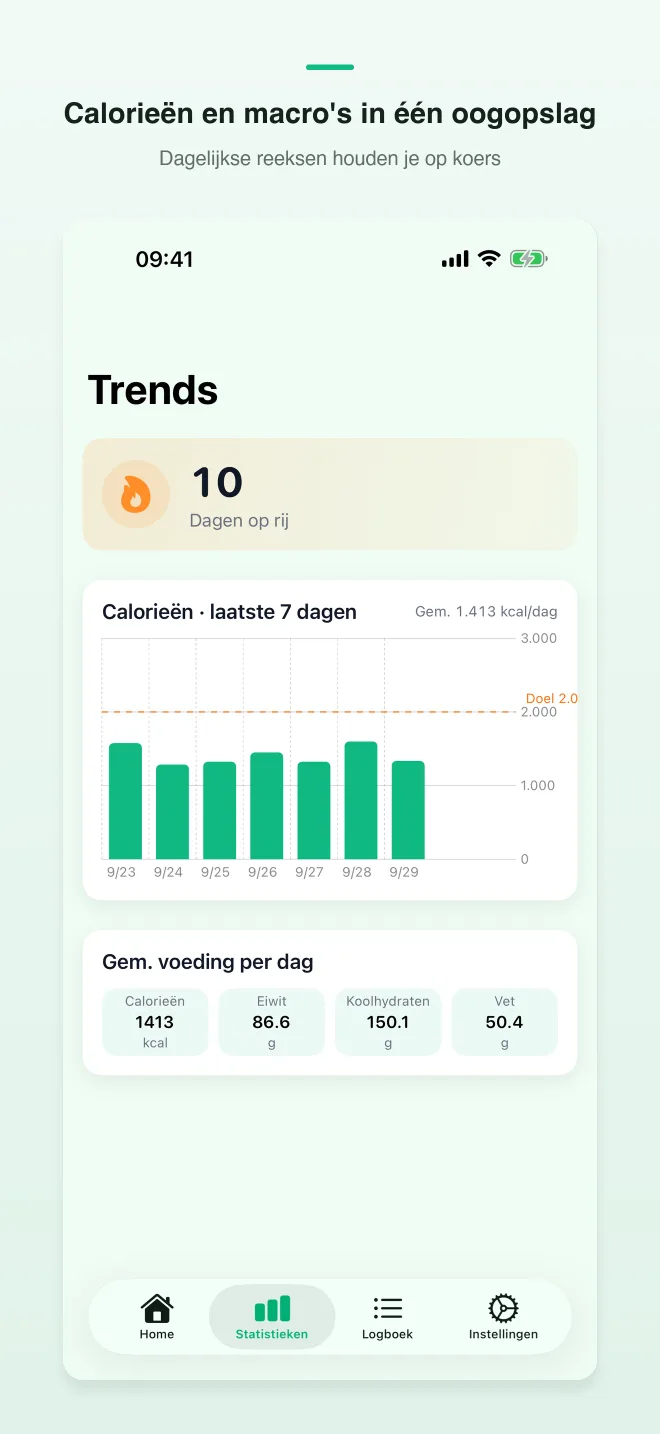
Resterende calorieën en macro’s zie je in één oogopslag, zodat lunch en diner simpel blijven.
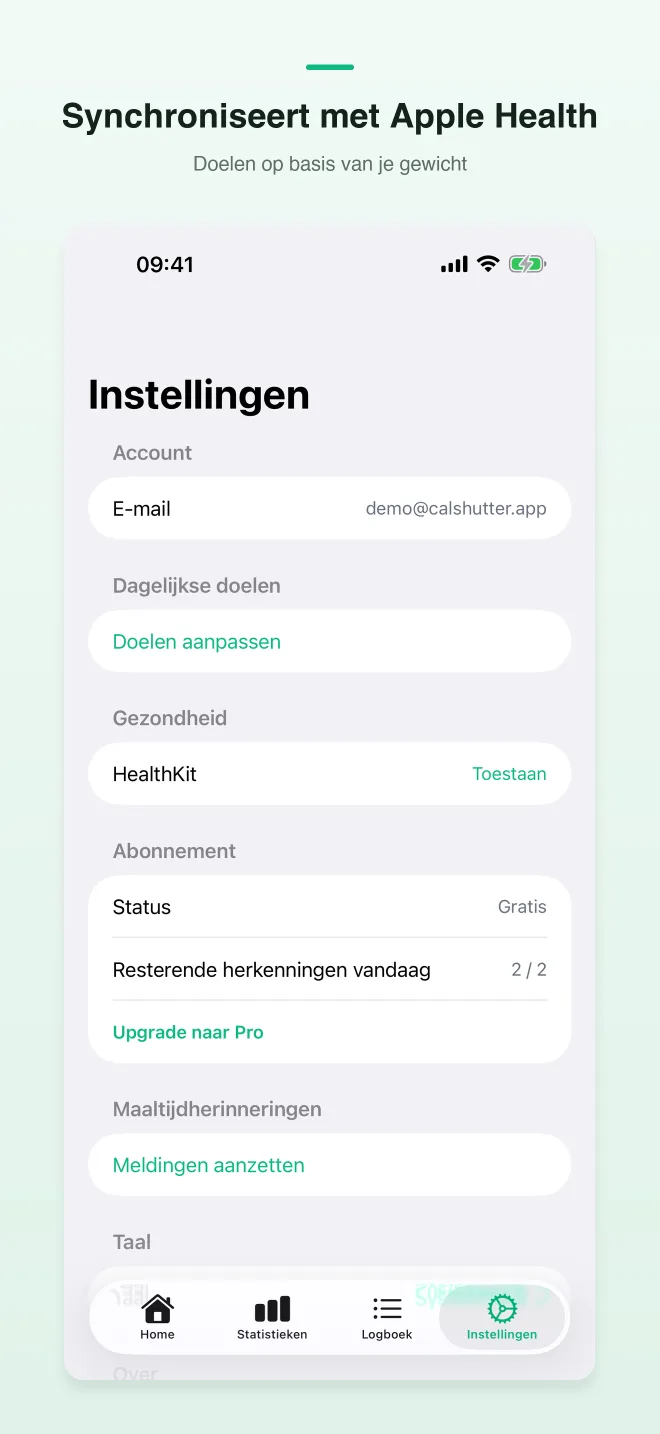
Je gewicht komt uit Apple Health, zodat je voortgang aansluit op de waarden die je toch al bijhoudt.
Geen advertenties, geen sociale feed, geen ballast. Maaltijdfoto’s dienen voor voedselherkenning, niet voor advertentieprofielen.
Voldoende om de gewoonte op te bouwen. Onbeperkte AI voor intensieve gebruikers.
Werkwijze
Step 1
Fotografeer de maaltijd
Open de camera en fotografeer je bord, of vertel de maaltijd met je stem wanneer een foto niet handig is.
Step 2
AI-fotoherkenning
Fotografeer je bord en krijg een schatting van calorieën, eiwitten, koolhydraten en vet. Pas de porties met één tik aan.
Step 3
Blijf consequent
Volg je voortgang van de dag en maak er een gewoonte van. Consistentie weegt zwaarder dan databaseprecisie.
Abonnementen
Voldoende om de gewoonte op te bouwen
£0
Onbeperkte AI voor intensieve gebruikers
Vanaf $4,99/maand
FAQ
Openbare links die nodig zijn voor App Store-beoordeling en gebruikers.
iPhone · iOS 17+
Fotografeer je bord en krijg een schatting van calorieën, eiwitten, koolhydraten en vet. Pas de porties met één tik aan.
Haal CalShutter in de App Store