ValveDue

iOS · Home Compliance

iPhone & iPad · iOS 17+Built by TaoApex Limited

ValveDue: never miss the backflow test or the winterize week

The water district letter sets the date. ValveDue counts the days, reminds you 60, 30, 14, and 7 days ahead, keeps each report photo with its valve, and closes each sprinkler season on time — with everything staying on your iPhone or iPad.

Free core features · Pro $19.99/year · Data stays on your device
  • Privacy-first
  • Native iOS
  • No ad tracking
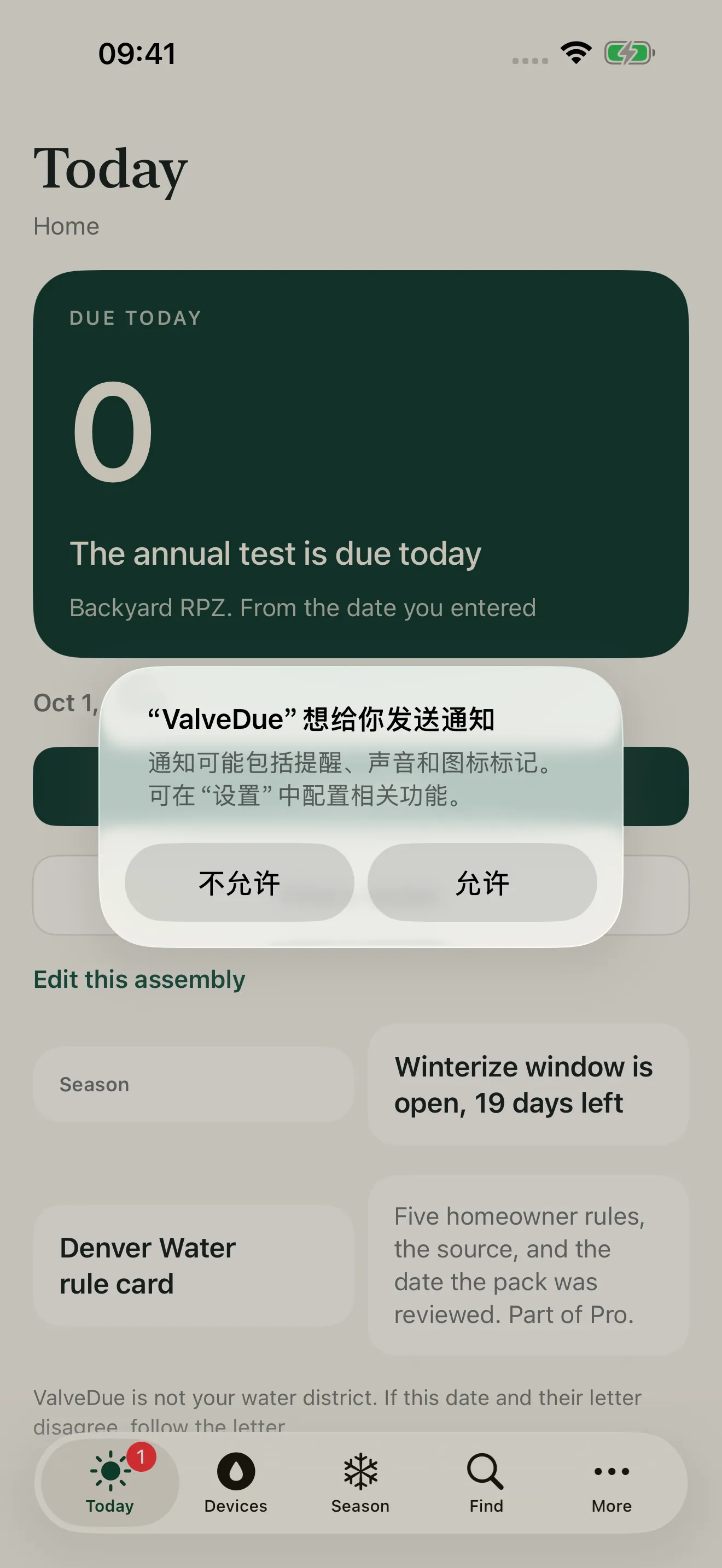
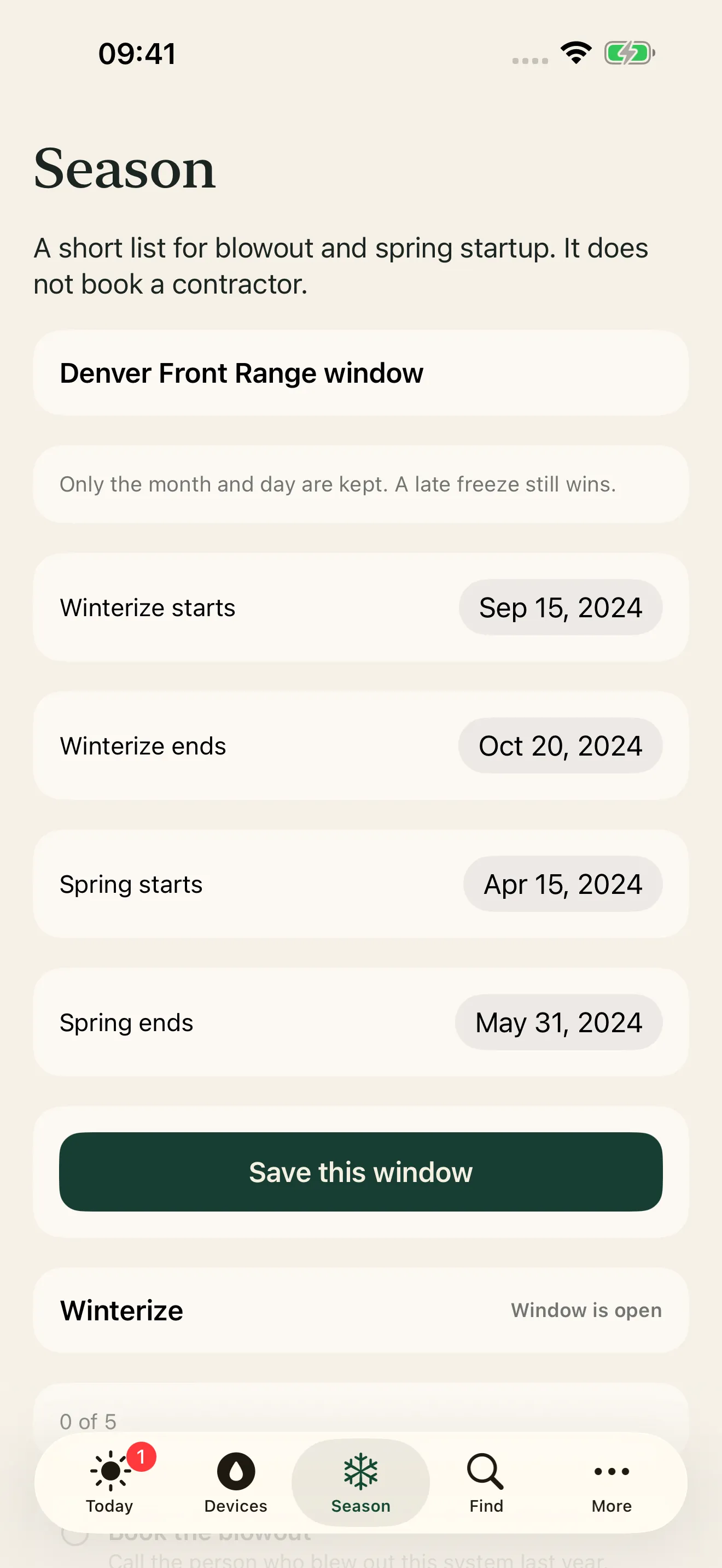
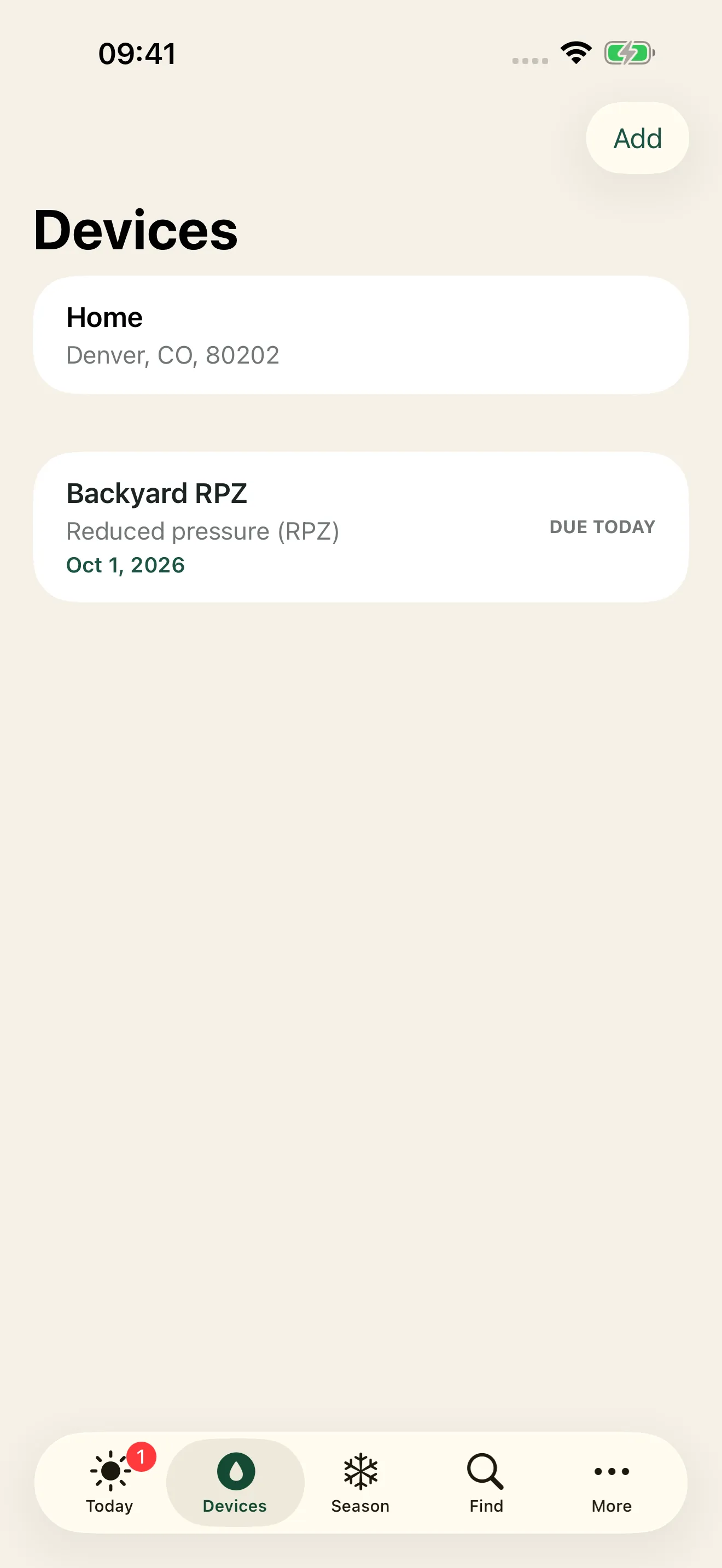
ValveDue app screens — 3/5
ValveDue app screens — 1/5
Reminders per test
4
Season windows
2
Accounts or tracking
0
iPhone & iPad
iOS 17+

The short version

What is ValveDue?

ValveDue is a privacy-first iPhone and iPad app for homeowners with an irrigation system. It tracks the annual backflow-preventer test date printed on the water district letter and the sprinkler winterize window, counts down, and sends local reminders 60, 30, 14, and 7 days ahead. Photos, dates, and addresses stay on the device.

TL;DR · ValveDue is a privacy-first iPhone and iPad app that tracks the annual backflow-preventer test date and the sprinkler winterize window for homeowners, with local reminders 60/30/14/7 days ahead. Core features are free; ValveDue Pro is $19.99 per year. No account, no data collection, and the water district letter stays the source of truth.

Support is available at hello@taoapex.com.

Capabilities

Two dates a year. Zero fines you forgot about.

ValveDue — A countdown from the letter date

A countdown from the letter date

Type the due date printed on your water district letter once. ValveDue shows the days remaining and exactly where you stand.

ValveDue — Winterize and spring windows

Winterize and spring windows

Save the winterize window once and get reminders 14 and 7 days before it opens, plus a spring start window for turning the water back on.
ValveDue — Report photos and calendar reminders

Report photos and calendar reminders

Keep the test-report photos with the valve they belong to (free), add each due date to your calendar as an event (Pro), and search certified backflow testers near you when it is time to book.

Reminders before the deadline

Local notifications at 60, 30, 14, and 7 days before the due date. No push server, no account in the middle.

A short checklist per season

Blowout and spring-start checklists keep the steps in one place, so the off-season work is as routine as the test.

Everything stays on your device

Photos, dates, and addresses live in the app sandbox on your iPhone or iPad. No account, no tracking, no analytics, no advertising SDK.

Workflow

How ValveDue works

Step 1

Enter the date on the letter

The utility letter is the official notice. Enter its due date once — with the ZIP hint you can confirm Denver Water and pick up the local frost windows (Pro).

Who ValveDue is for

  • Homeowners with an irrigation system whose water district requires an annual backflow test
  • Denver Water customers who want the rule card and the local frost windows in one place (Pro)
  • Anyone who has paid a missed-test fine once and refuses to pay a second one
  • Households that keep the reminder letter on the fridge and lose it every year

Why ValveDue is not your water district

  • The utility letter is always the source of truth — if a date in the app and the letter disagree, follow the letter
  • Photos, dates, and addresses stay in the app sandbox on your device: no account, no sign-in, and no server copy
  • No analytics, no advertising SDK, and no third-party tracking inside the app
  • Public directories — the ABPA certified-tester search and the tester map — stay free for everyone

Plans

Free core features. One annual price for everything else.

Free

One property and one valve, plus report photos and seasonal reminders, at no cost.

$0

  • 1 property and 1 valve
  • Report photo archive
  • Seasonal reminders
Popular

ValveDue Pro

Unlocks multiple properties and valves, Calendar sync, and the Denver Water rule card. Cancel anytime in your Apple ID subscription settings.

$19.99 / year (US)

  • Multiple properties and valves
  • Calendar sync
  • Denver Water rule card
  • Cancel anytime in Apple ID settings
Email ValveDue support

FAQ

Common questions

What is ValveDue?
ValveDue is an iPhone and iPad app that tracks the dates a home with irrigation cares about: the annual backflow-preventer test from your water district letter, and the week you winterize the sprinklers. It counts down and sends local reminders so the test happens before the letter becomes a fine.
What is a backflow test?
Irrigation lines can siphon water back into the drinking supply, so most water districts require the backflow-preventer assembly on the irrigation line to be tested every year by a certified tester. The district mails the due date — that letter is the official notice ValveDue is built around.
Is ValveDue affiliated with my water district?
No. ValveDue is not your water district, does not file reports, does not book testers, and cannot replace the letter. If a date in the app and the letter disagree, follow the letter.
How much does ValveDue cost?
The core features are free: one property, one valve, report photos, and seasonal reminders. ValveDue Pro is one annual subscription at $19.99 (US) that unlocks multiple properties and valves, Calendar sync, and the Denver Water rule card; local App Store prices convert automatically. You can cancel Pro anytime in your Apple ID subscription settings, and purchases are handled by Apple.
Does ValveDue need an account?
No. There is no ValveDue account, no sign-in, and no server copy of your data. Photos, dates, and addresses stay in the app sandbox on your device, and purchases are handled by Apple.
Does ValveDue collect my data or show ads?
No. All data stays on your device. ValveDue collects no data, and there are no third-party analytics or advertising SDKs.
Which water districts are supported?
Manual due dates work with any district. The Denver Water rule card, test window, and frost windows are part of Pro, with the source and review date shown in the app.
How do I delete my ValveDue data?
Use "Erase everything on this iPhone" in Settings, or remove the app. Because there is no account, deleting the app removes every home, assembly, and photo on that device. Privacy questions go to hello@taoapex.com with ValveDue in the subject.

iPhone & iPad · iOS 17+

ValveDue

The annual backflow test and the winterize week, remembered for you.

Email ValveDue support