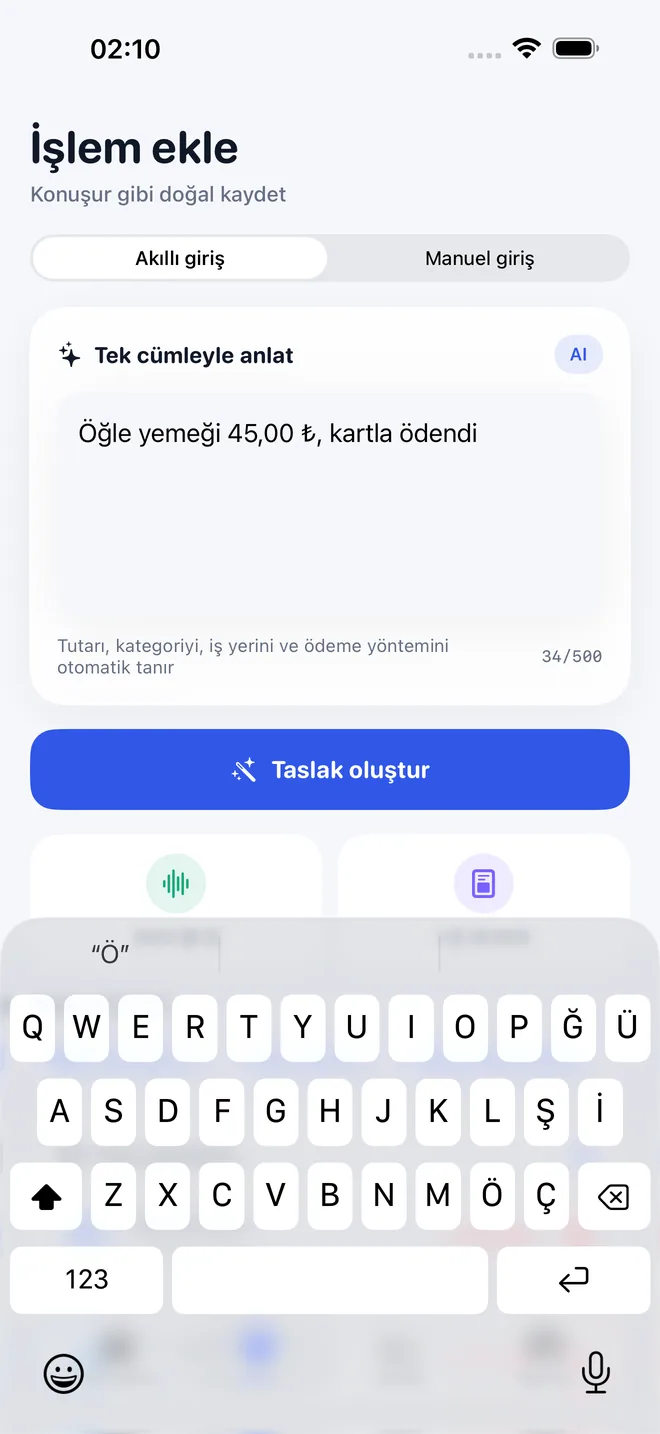
Doğal dilde giriş
“Öğle yemeği 45” gibi bir cümle yaz; oluşan tutarı, kategoriyi, iş yerini ve ödeme yöntemini düzenle.

TaoBook: Expense Tracker
iOS · Kişisel finansiPhone · iOS 17+TaoApex Limited tarafından geliştirildi
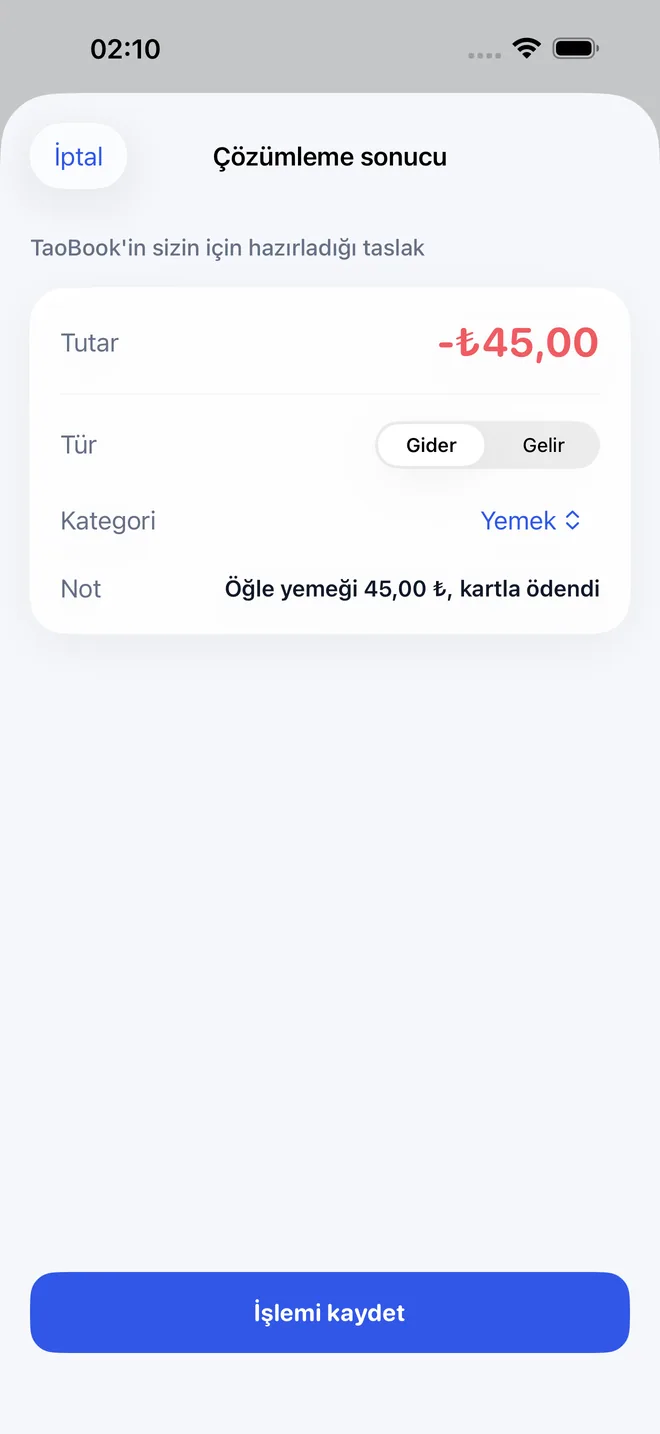
“Öğle yemeği 45” yaz. TaoBook bunu kontrol edip düzenleyip kaydedebileceğin bir taslağa dönüştürür, sonra paranın gerçekte nereye gittiğini gösterir.
Ücretsiz başla · iOS 17+ · Cihazda fiş tanıma
Kısaca
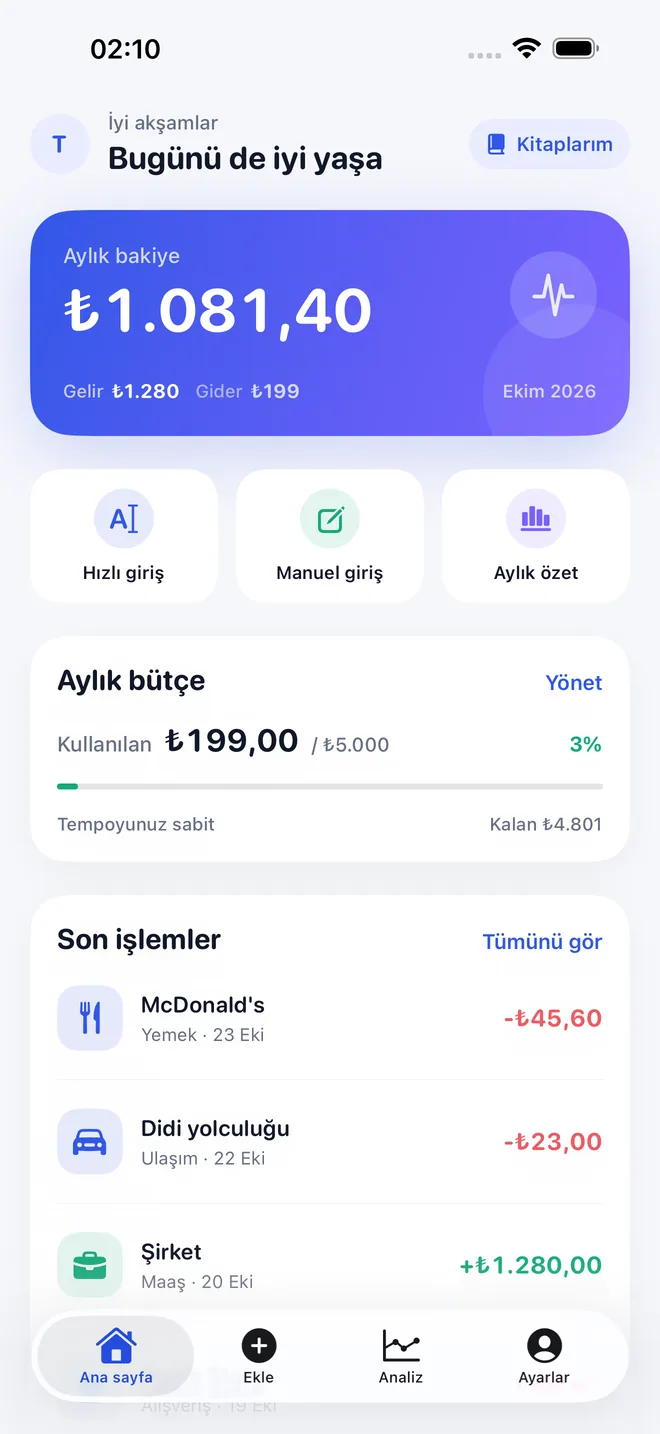
TaoBook, TaoApex Limited tarafından iPhone için geliştirilen pratik bir kişisel finans uygulaması: “öğle yemeği 45” gibi doğal dildeki notları düzenlenebilir işlemlere dönüştürür. Cihazda fiş tanıma, sistem üzerinden sesli giriş, birden fazla kitap, bütçeler, öngörüler ve isteğe bağlı Apple ile oturum açma eşitlemesini bir araya getirir; kişisel verilerini satmaz.
TL;DR · TaoBook, iPhone için bir para takip uygulaması: kısa doğal dil notlarını düzenlenebilir işlemlere dönüştürür, fişleri cihazda tanır ve bütçeleri faydalı harcama öngörüleriyle buluşturur.
It runs on iOS 17.0 veya sonrası and is built by TaoApex Limited.
The free tier covers Demo veriler ve temel kitap, Doğal dilde taslaklar, Bütçeler ve temel öngörüler; TaoBook Pro (US$4,99/ay · US$39,99/yıl) unlocks Tam kayıt ve öngörüler, Birden fazla kitap, Fiş ve ses akışları.
Core capabilities: Doğal dilde giriş, Sesli notlar, Fiş tanıma, Birden fazla kitap.
The routine is short: Yaz, söyle ya da tara → Taslağı kontrol et → Örüntüyü gör.
It is made for Devasa bir banka paneli olmadan harcama takibi isteyenler.
Support is available at support@taoapex.com.
Neler yapabilir
“Öğle yemeği 45” gibi bir cümle yaz; oluşan tutarı, kategoriyi, iş yerini ve ödeme yöntemini düzenle.
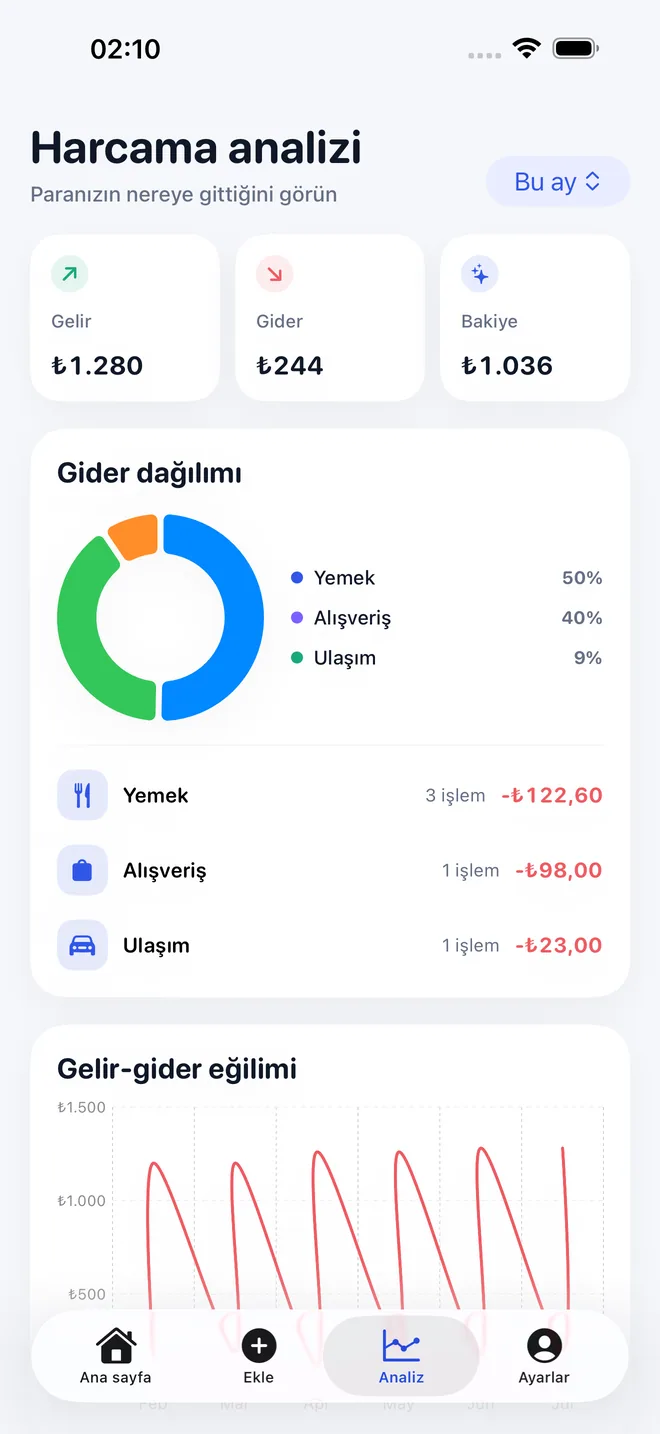
Kategori bütçeleri belirle; gelir, harcama, eğilimler ve ayın nereye gittiğini anla.
Kişisel, aile ve proje harcamalarını aynı basit kayıt akışıyla ayrı tut.
Sistem ses tanıma özelliğiyle kısa bir not söyle; metni işleme dönüşmeden önce gözden geçir.
Bir fişin fotoğrafını seç ve metnini cihazda tanı; orijinal görseli TaoBook'a yükleme.
TaoBook kişisel verilerini satmaz. Eşitleme isteğe bağlıdır; hesabı ve bulut verilerini Ayarlar'dan silebilirsin.
İşleyiş
Step 1
Yaz, söyle ya da tara
Kısa bir notu doğal dilde gir, sesli söyle ya da bir fişin fotoğrafını seç.
Step 2
Taslağı kontrol et
İşlemi kaydetmeden önce tutarı, kategoriyi, iş yerini, para birimini ve ödeme yöntemini düzenle.
Step 3
Örüntüyü gör
Kitaplar, bütçeler ve öngörülerle günlük harcamanı zamanla daha iyi anla.
Planlar
Günlük kayıt akışını dene
0 ₺
Eksiksiz kayıt deneyimini aç
US$4,99/ay · US$39,99/yıl
FAQ
iPhone · iOS 17+
Günlük paranı sakin bir şekilde kaydetmenin yolu.
TaoBook'u App Store'da indirApp Store incelemesi ve kullanıcılar için gereken herkese açık bağlantılar.