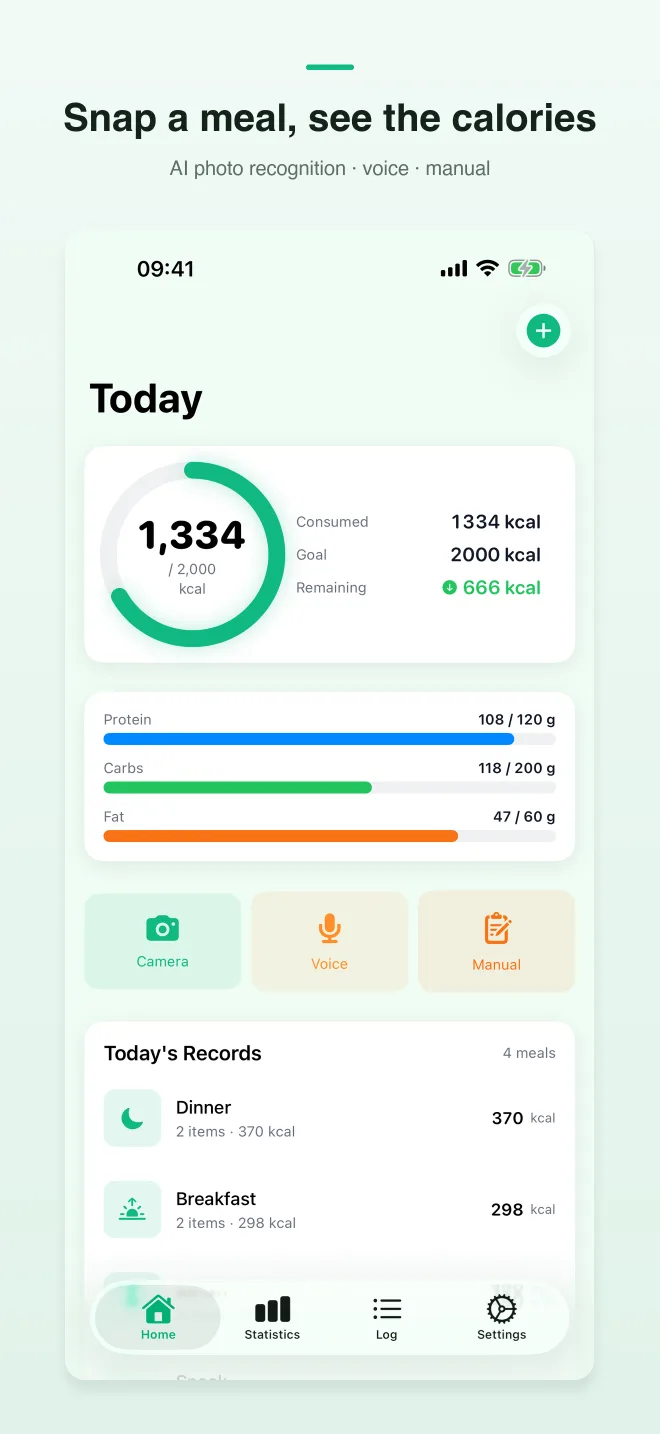
AI photo recognition
Capture a plate and get estimated calories plus protein, carbs, and fat — then tweak portions in one tap.

AI Calorie Counter: CalShutter
iOS · Health & FitnessiPhone · iOS 17+Built by TaoApex Limited
Photograph a meal, review the estimated calories and macros, and edit the entry before saving — without searching through a large food database.
Free to start · iOS 17+ · No ads
Product definition
CalShutter is an iOS calorie tracker by TaoApex that uses AI photo recognition to estimate calories and macros from a food photo. Users can review and edit the estimate before saving a meal.
TL;DR · CalShutter is TaoApex’s iOS AI calorie tracker: photograph a meal, review estimated calories and macros, edit before saving, and optionally unlock unlimited AI recognition and full meal history with Pro.
It runs on iOS 17.0 or later and is built by TaoApex Limited.
The free tier covers Unlimited manual meal logging, 2 AI photo or voice recognitions per day, Daily macro dashboard; Pro (From $4.99/mo) unlocks Unlimited AI photo or voice recognition, Full meal log history, Cancel anytime via App Store.
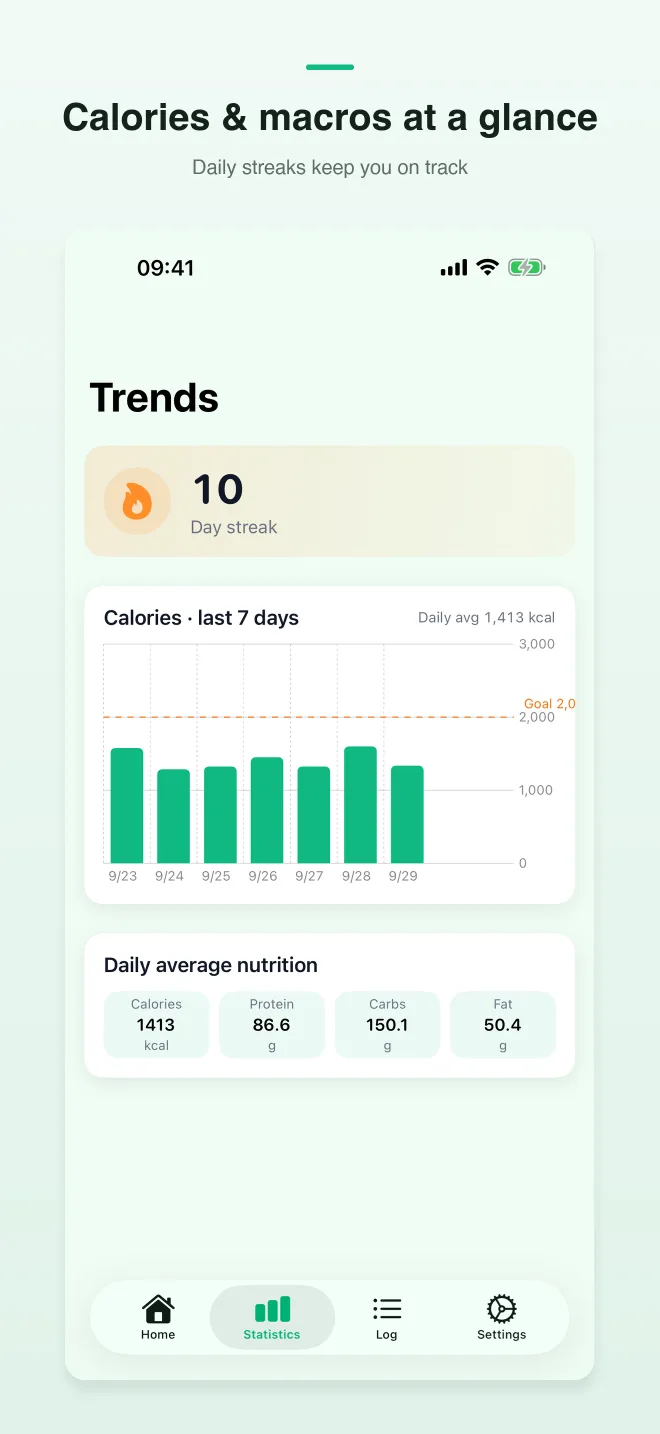
Core capabilities: AI photo recognition, Voice logging, Daily macro progress, Apple Health sync.
The routine is short: Snap the meal → Confirm in seconds → Stay consistent.
It is made for People who quit MyFitnessPal because logging took too long.
Support is available at support@taoapex.com.
Capabilities
Capture a plate and get estimated calories plus protein, carbs, and fat — then tweak portions in one tap.
See remaining calories and macros at a glance so decisions at lunch and dinner stay simple.
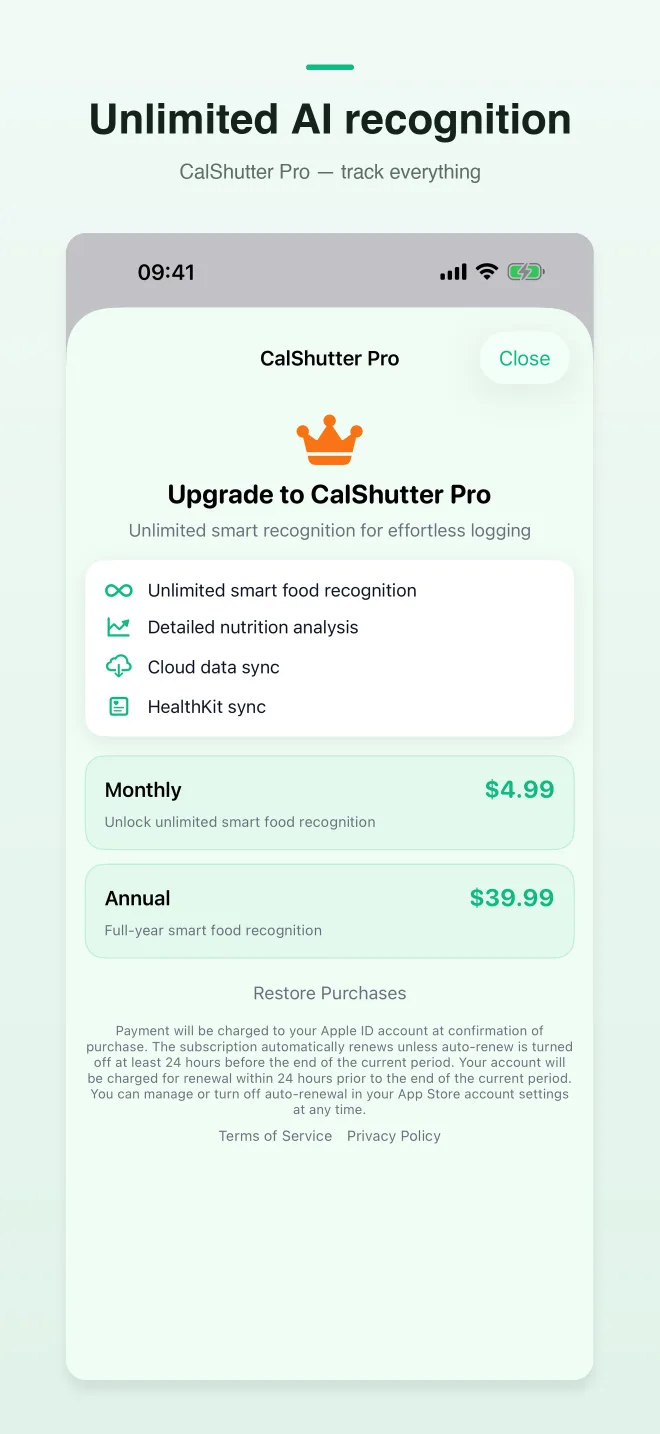
Free includes unlimited manual logging and 2 AI recognitions per day. Pro unlocks unlimited AI recognition and full meal history.
Say what you ate when you cannot take a photo. CalShutter turns speech into a structured meal entry.
Pull weight from Apple Health so progress stays aligned with the metrics you already track.
No ads, no social feed, no bloat. Meal photos support food recognition — not advertising profiles.
Workflow
Step 1
Snap the meal
Open the camera, photograph your plate, or describe it with voice when photo is not practical.
Step 2
Confirm in seconds
Review AI food items and macros, delete mistakes, adjust portions, and save the meal.
Step 3
Stay consistent
Watch daily progress and keep the habit. Consistency beats perfect database precision.
Plans
Enough to build the habit
£0
Unlimited AI for power users
From $4.99/mo
FAQ
iPhone · iOS 17+
Snap a meal. Review the calorie estimate.
Get CalShutter on the App StorePublic links required for App Store review and end users.