iOS · Personal ProductivityiPhone & iPad · iOS 17+Built by TaoApex Limited

OweTrace

OweTrace: keep promises, follow-ups, and replies in one place

Someone owes the next move — a reply, a decision, a document, a refund. OweTrace records the promise, the date, and the last update, then nudges you when it is time to follow up. Local-only by default.

Local-only · iOS 17+ · No account

✓Privacy-first✓Native iOS✓No ad tracking✓Available on the App Store
Trace storage
Local
Account required
0
Free → Pro Traces
5 → ∞
iPhone & iPad
iOS 17+
9:41
5G

Live preview

OweTrace

Remember who owes the next move.
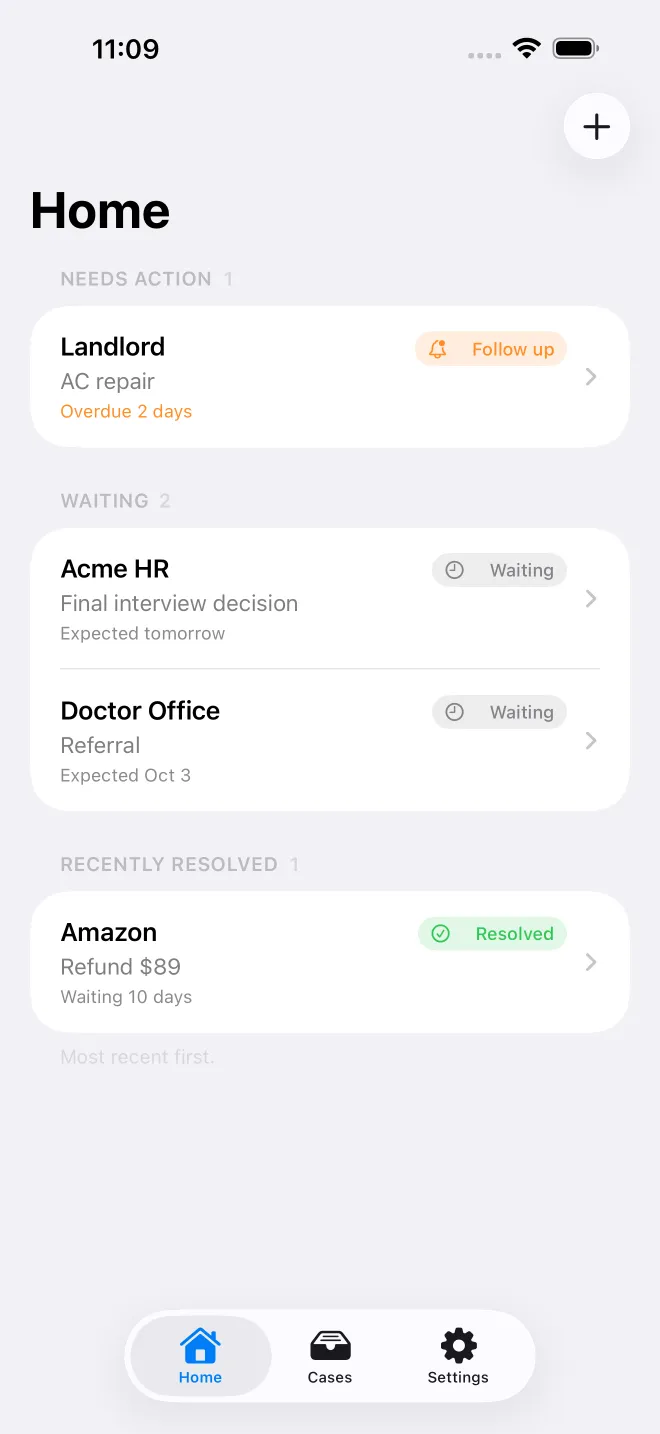
Waiting on HR reply3 days
Clinic referralFollow-up due
Contractor quoteTue · 14:00
Refund pendingResolved
Get OweTrace on the App Store
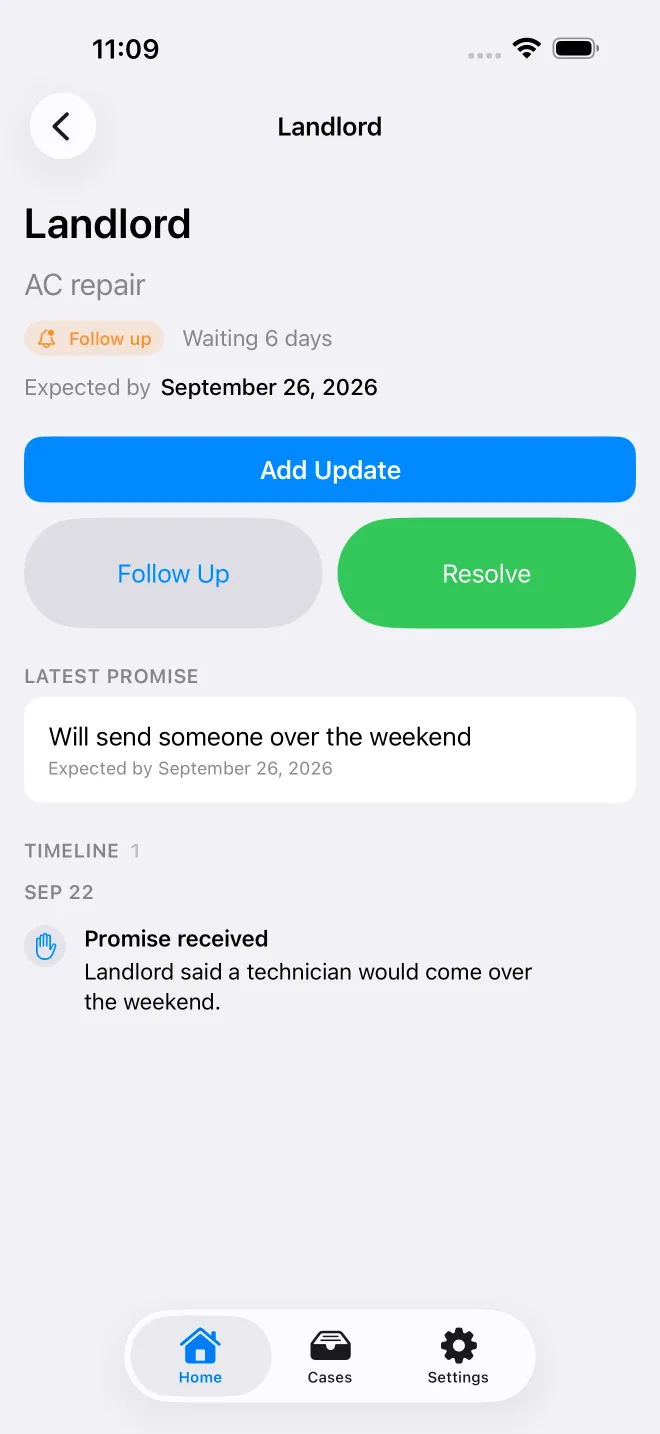
OweTrace app screens — 1/5OweTrace app screens — 2/5OweTrace app screens — 3/5OweTrace app screens — 4/5OweTrace app screens — 5/5

The short version

What is OweTrace?

OweTrace is a privacy-first iPhone app that keeps a promise, a date, and what happened last time in one place, then reminds you when to follow up when the next move is owed by someone else.

TL;DR · OweTrace is a privacy-first iPhone app that keeps the promise, the date, and the last update for replies, decisions, documents, and refunds owed by someone else; local-only by default, with optional AI assistance in Pro.

OweTrace is a privacy-first iPhone app that keeps a promise, a date, and what happened last time in one place, then reminds you when to follow up when the next move is owed by someone else.

It runs on iOS 17.0 or later and is built by TaoApex Limited.

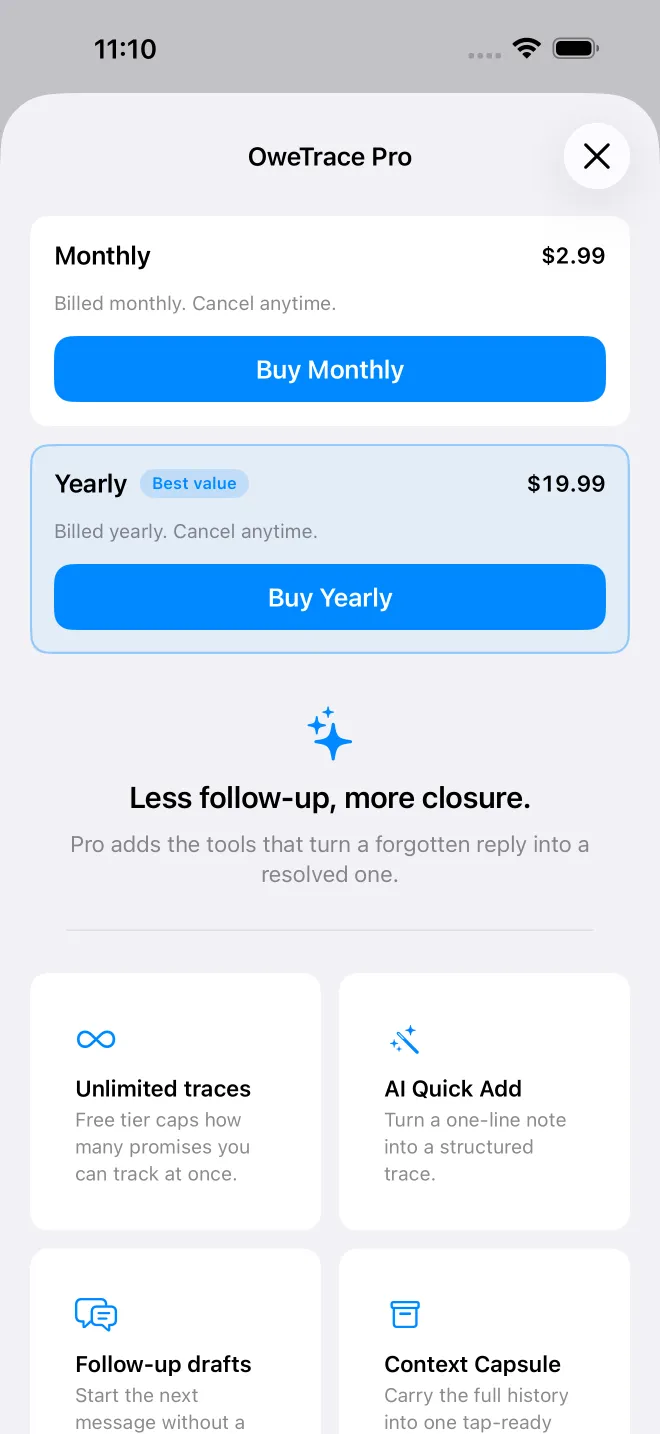
The free tier covers Up to 5 active Traces, Manual capture and timeline, Search and status workflow; OweTrace Pro (Shown before purchase) unlocks Unlimited active Traces, AI Quick Add, AI update parsing and follow-up drafts.

Core capabilities: One Trace per promise, Status that matches the moment, AI Quick Add and drafts (Pro), Local-only by design.

The routine is short: Capture the promise → Log each turn of the timeline → Follow up when OweTrace nudges you.

It is made for Job seekers waiting on an HR decision, interview outcome, or signed offer.

Support is available at support@taoapex.com.

Capabilities

Built for the next move you cannot control

One Trace per promise

Record the person, the promise, and the date. Each Trace stands alone so nothing gets buried under a to-do list.

Status that matches the moment

Mark a Trace as waiting, follow-up due, nudged, escalate, resolved, or dropped.

AI Quick Add and drafts (Pro)

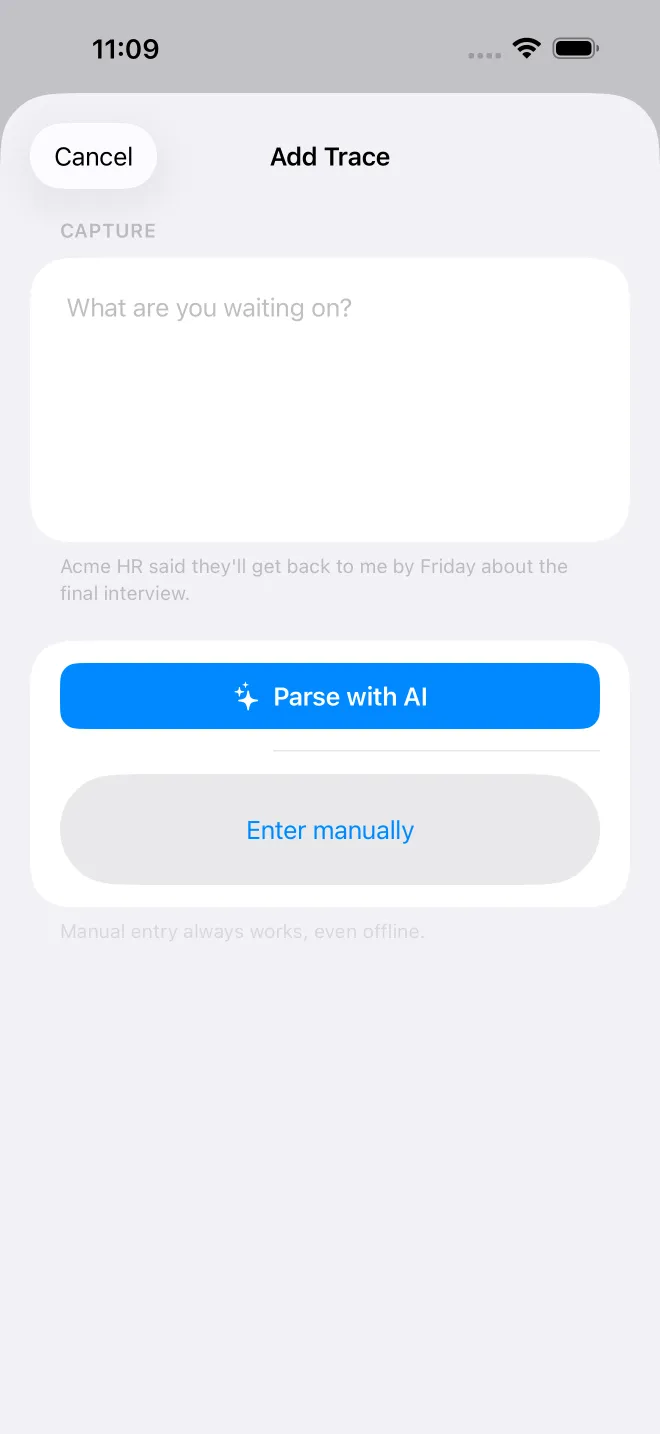
Turn one sentence into a structured Trace, paste a new reply for AI to parse the status, or ask for a follow-up draft in your tone.

Local-only by design

No account, no sign-in, no profile, no analytics, no advertising SDK, and no iCloud sync.

Context Capsule recap (Pro)

Before you call or write back, see the promise, the dates, and the last update in one short brief.

Local follow-up notifications

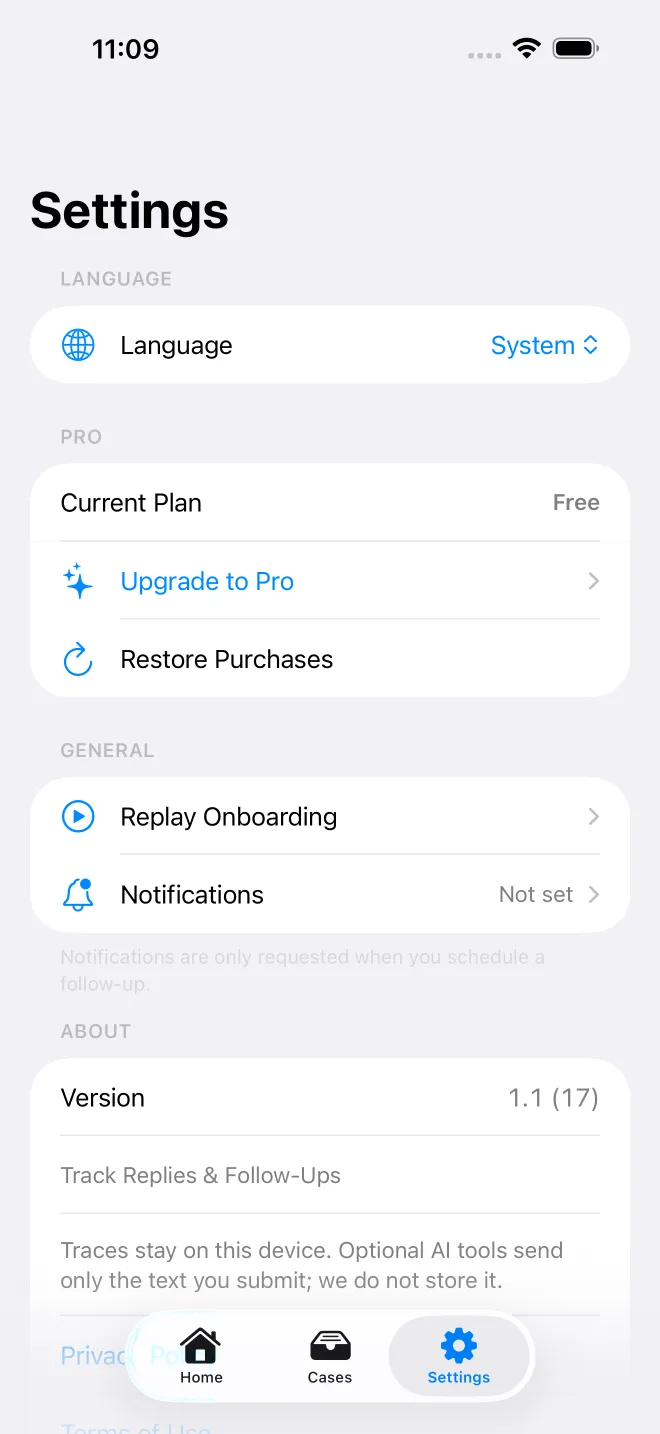
OweTrace asks for notification permission only when you save the first follow-up date, and only local notifications are used.

Workflow

How OweTrace works

Step 1

Capture the promise

Add a Trace with the person, what they owe, and the date they owe it by. Free captures are manual; Pro unlocks AI Quick Add for one-sentence captures.

Who OweTrace is for

  • Job seekers waiting on an HR decision, interview outcome, or signed offer
  • Patients tracking a clinic referral, prior auth, insurance reply, or lab result
  • Homeowners and renters waiting on a contractor quote, landlord repair, or HOA approval
  • Freelancers and small teams waiting on a client approval, deposit, or document sign-off
  • Anyone tired of rereading old threads to remember what was promised and by when

Why OweTrace is local-only by default

  • ✓Every Trace, timeline entry, and status change is stored on the device — no account, sign-in, profile, or iCloud sync
  • ✓No analytics, no advertising SDK, and no third-party tracking run inside the app
  • ✓Optional AI sends only the text and Trace fields needed for that one action through HTTPS to a TaoApex-owned Cloudflare Worker, which forwards to Google Gemini 2.5 Flash-Lite and returns the result without storing it
  • ✓Notifications are local and only requested the first time you save a follow-up date

Plans

Free to keep your traces. Pro when you need more.

Free

Local-only tracking for up to five active Traces

US$0

  • ✓Up to 5 active Traces
  • ✓Manual capture and timeline
  • ✓Search and status workflow
  • ✓Local follow-up notifications
Popular

OweTrace Pro

Unlimited Traces plus optional AI assistance

Shown before purchase

  • ✓Unlimited active Traces
  • ✓AI Quick Add
  • ✓AI update parsing and follow-up drafts
  • ✓Context Capsule recap
Get OweTrace on the App Store

FAQ

Common questions

Where can I download OweTrace?+
OweTrace is on the App Store at https://apps.apple.com/app/id6804705174. It needs iOS 17 or later and runs on iPhone and iPad. The free tier tracks up to five active Traces; OweTrace Pro unlocks unlimited Traces and the optional AI features.
What is OweTrace?+
OweTrace is an iPhone app that keeps the promise, the date, and the last update for any situation where the next move is owed by someone else — a reply, a decision, a document, a refund, or an update.
Is OweTrace a to-do app, a CRM, or a debt-collection app?+
OweTrace is a personal follow-up tracker: replies, decisions, documents — and money or items people owe you. It is not a CRM and not a debt-collection service: no calls, no letters, no credit reporting. Just your own record and a calm reminder when it is time to follow up.
Does OweTrace sync across devices with iCloud?+
No. OweTrace does not use iCloud, CloudKit, or any cross-device sync. Every Trace is stored on the device where it was created. Reinstalling the app or moving to a new device does not move the Traces.
How does the optional AI work?+
Only when you tap an AI feature. OweTrace sends the text and Trace fields needed for that one action over HTTPS to a Cloudflare Worker operated by TaoApex. The Worker forwards the request to Google Gemini 2.5 Flash-Lite and returns the result. The Worker does not store your Trace content or AI output.
What does Pro include and how do I cancel?+
Pro unlocks unlimited active Traces, AI Quick Add, AI update parsing, AI follow-up drafts, and Context Capsule.See the current Pro availability and price in the App Store purchase sheet before confirming.99 per year, auto-renewing through the App Store. To cancel, open iPhone Settings → your Apple ID → Subscriptions → OweTrace Pro → Cancel Subscription, at least 24 hours before the period ends.
How do I delete my OweTrace data?+
Delete individual Traces from inside the app, or remove the app to clear all local data. Because there is no account, deleting the app removes every Trace on that device. For privacy questions, email support@taoapex.com with OweTrace in the subject.
Can OweTrace track money people owe me?+
Yes. A Trace can be money owed, a reply, a promise, or an item: note the amount in the Trace, set the date it is due, and OweTrace reminds you when it is time to follow up — politely and on your schedule. The free tier covers five active Traces.
How is OweTrace different from a to-do list or a spreadsheet?+
A to-do list or spreadsheet can record promises and dates; reminders depend on the chosen tool and configuration. OweTrace groups the next move another person owes you into one Trace, with a follow-up date, a timeline, and local notifications. Manual records stay on-device; optional AI sends selected text for processing as described in the Privacy Policy. Neither a reminder nor an AI draft guarantees a reply or completion.

Privacy & App Store support

Public links required for App Store review and end users.

iPhone & iPad · iOS 17+

OweTrace

Remember who owes the next move.
Get OweTrace on the App Store