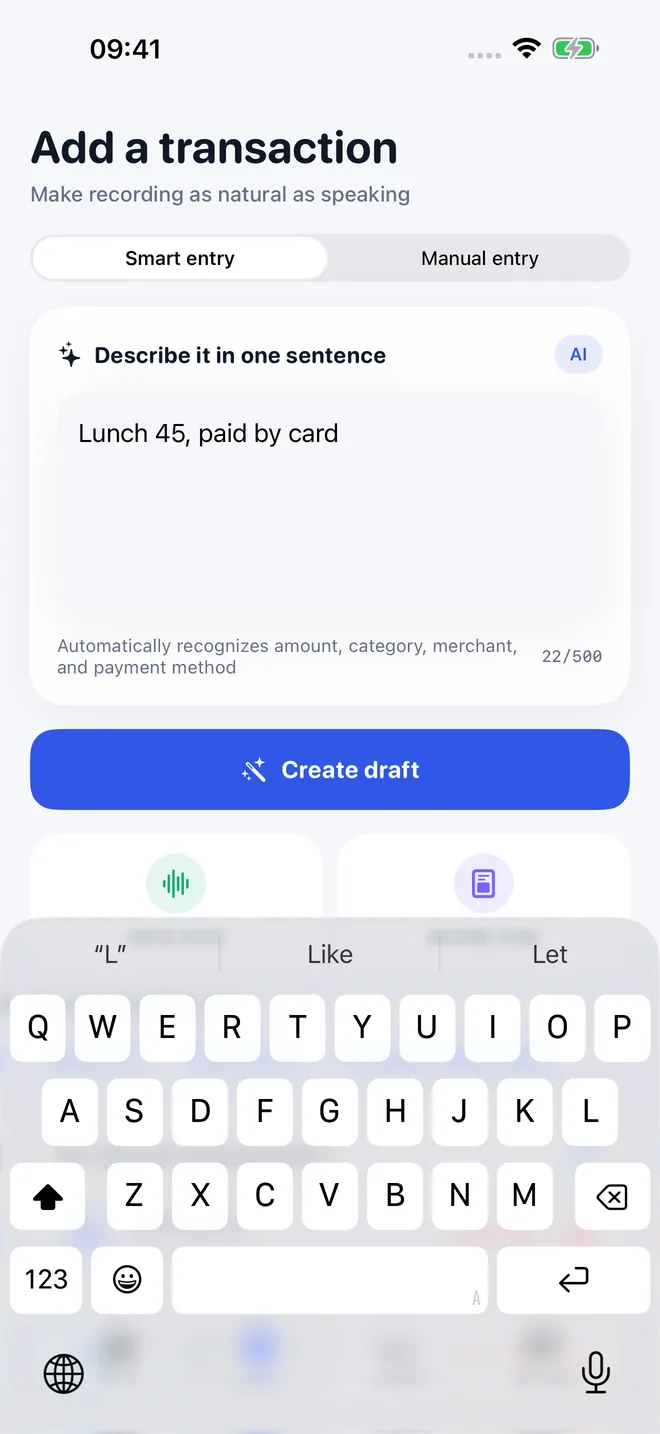
Natural-language entry
Type a sentence like “lunch 45 yuan” and edit the generated amount, category, merchant, and payment method.

TaoBook: Expense Tracker
iOS · Personal FinanceiPhone · iOS 17+Built by TaoApex Limited
Write “lunch 45 yuan.” TaoBook turns it into a draft you can check, edit, and save — then shows where everyday money is actually going.
Free to start · iOS 17+ · On-device receipts
Product definition
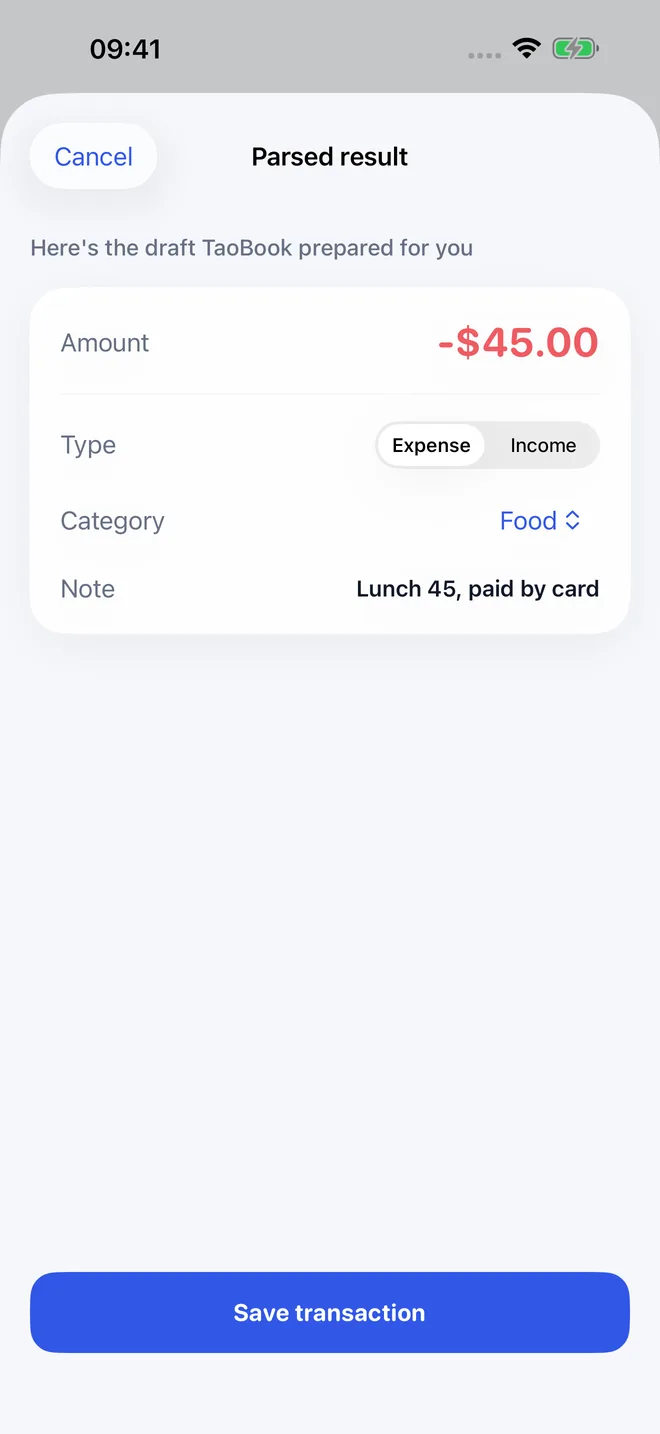
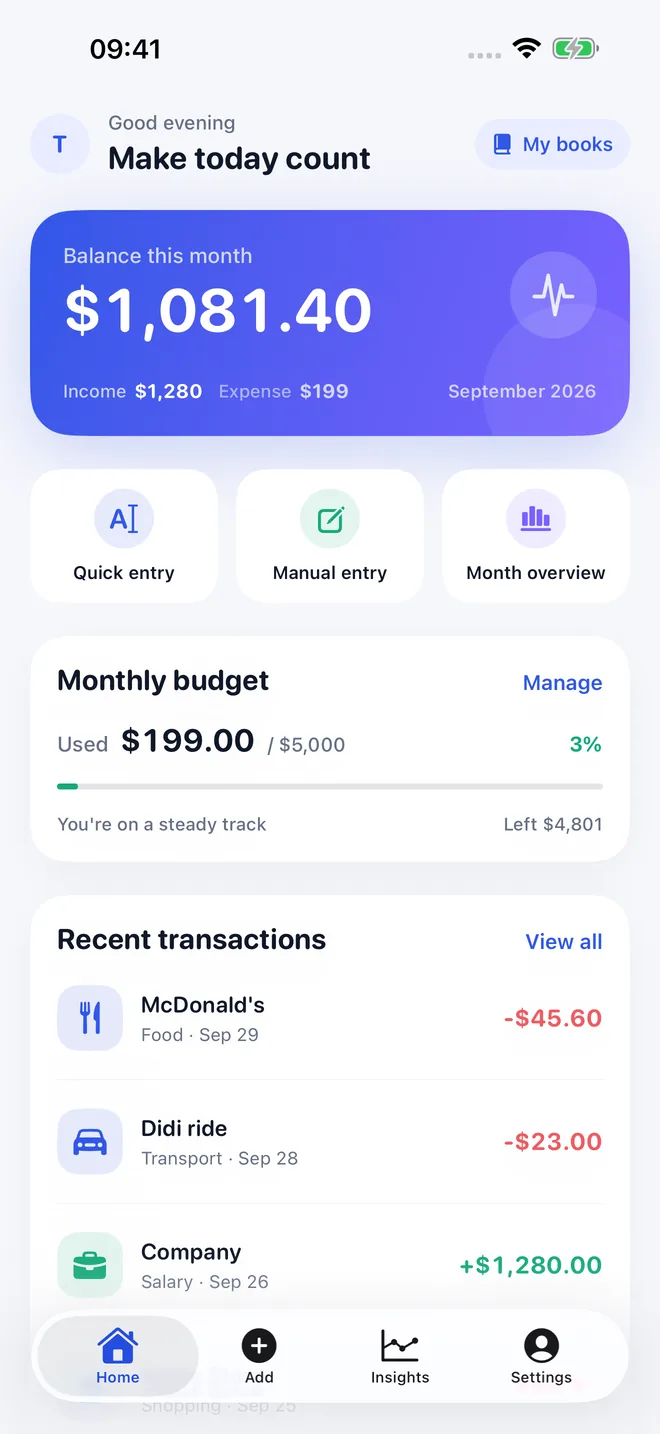
TaoBook is a practical iOS money tracker that turns natural-language notes such as “lunch 45 yuan” into editable transactions. It combines on-device receipt text recognition, system speech input, multiple books, budgets, insights, and optional Sign in with Apple sync without selling personal data.
TL;DR · TaoBook is an iPhone money tracker that turns short natural-language notes into editable transactions, recognizes receipts on-device, and connects budgets with useful spending insights.
It runs on iOS 17.0 or later and is built by TaoApex Limited.
The free tier covers Demo data and core ledger, Natural-language drafts, Budgets and basic insights; TaoBook Pro (US$4.99/mo or US$39.99/yr) unlocks Full recording and insights experience, Multiple books, Receipt and voice workflows.
Core capabilities: Natural-language entry, Voice notes, Receipt recognition, Multiple books.
The routine is short: Write, speak, or scan → Check the draft → See the pattern.
It is made for People who want expense tracking without a giant banking dashboard.
Support is available at support@taoapex.com.
Capabilities
Type a sentence like “lunch 45 yuan” and edit the generated amount, category, merchant, and payment method.
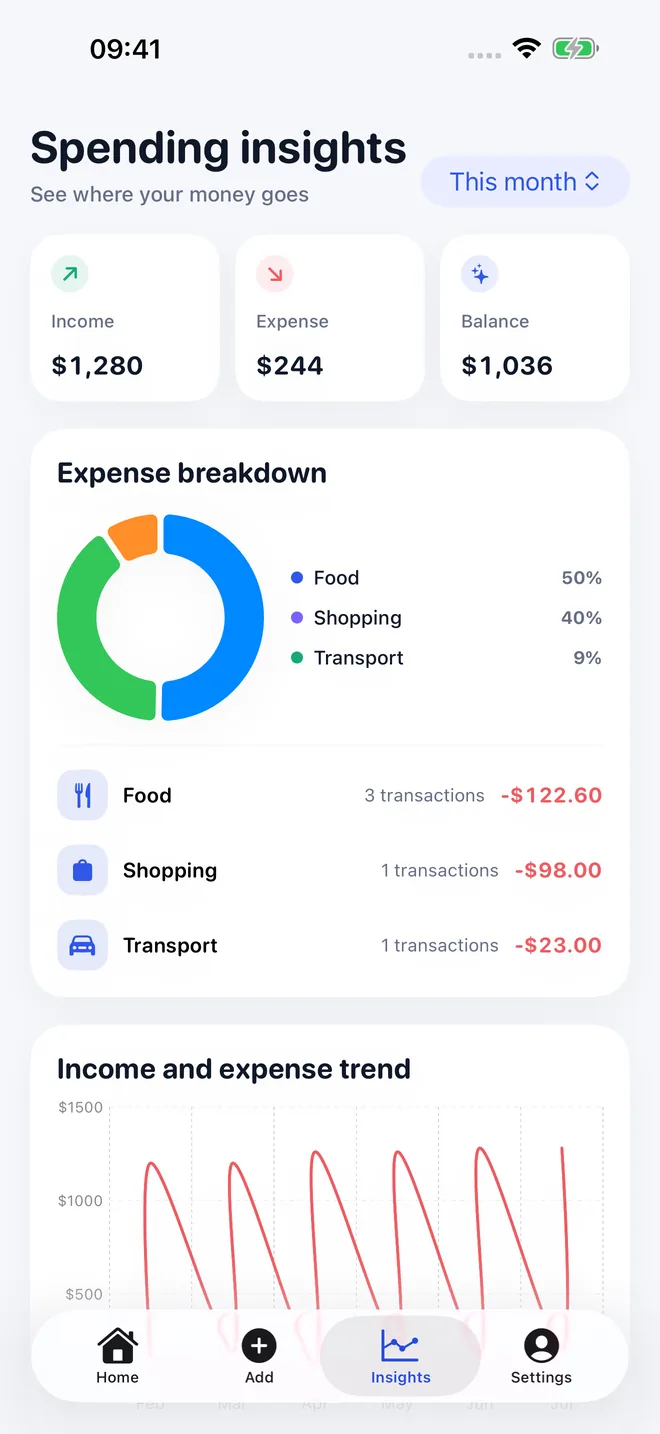
Set category budgets and understand income, spending, trends, and where the month is going.
Keep personal, family, and project spending separate while using the same simple recording flow.
Speak a quick note through system speech recognition, then review the text before it becomes a transaction.
Choose a receipt photo and recognize its text on the device without uploading the original image to TaoBook.
TaoBook does not sell personal data. Account sync is optional, and you can delete the account and cloud data from Settings.
Workflow
Step 1
Write, speak, or scan
Enter a short natural-language note, dictate a voice memo, or choose a receipt photo.
Step 2
Check the draft
Edit the amount, category, merchant, currency, and payment method before committing the transaction.
Step 3
See the pattern
Use books, budgets, and insights to make everyday spending easier to understand over time.
Plans
Try the everyday recording flow
£0
Unlock the complete recording experience
US$4.99/mo or US$39.99/yr
FAQ
iPhone · iOS 17+
A calmer way to record everyday money.
Get TaoBook on the App StorePublic links required for App Store review and end users.