How to Track Daily Expenses (and Actually Stick With It)
A log records amounts, categories and dates for review. It is not evidence that logging causes savings.
Check entries against receipts or statements, and use the totals to decide what to adjust.
How to Track Daily Expenses (and Actually Stick With It)
A log records amounts, categories and dates for review. It is not evidence that logging causes savings.
Check entries against receipts or statements, and use the totals to decide what to adjust.
Zero setup, always available — but no totals, no categories, and it doesn't live in your pocket at checkout.
If opening a file stands between you and logging a coffee, the coffee wins.
The quality bar: one entry must take about five seconds.
The honest comparison is total friction over a month, not features on day one.

Key Takeaways
- 1It is not evidence that logging causes savings.
- 2A log records amounts, categories and dates for review.
- 3Zero setup, always available — but no totals, no categories, and it doesn't live in your pocket at checkout.
A log records amounts, categories and dates for review. It is not evidence that logging causes savings.
Check entries against receipts or statements, and use the totals to decide what to adjust.
What tracking actually changes
A log records amounts, categories and dates for review. It is not evidence that logging causes savings.
Check entries against receipts or statements, and use the totals to decide what to adjust.
Step 1 — Pick the lightest method that survives your week
- Paper notebook. Zero setup, always available — but no totals, no categories, and it doesn't live in your pocket at checkout.
- Spreadsheet. Powerful analysis, terrible capture.
- If opening a file stands between you and logging a coffee, the coffee wins.
- A phone app. Capture where the spending happens. The quality bar: one entry must take about five seconds.
The honest comparison is total friction over a month, not features on day one.
Choose the method whose worst Tuesday still ends with entries in it.
Step 2 — Make logging almost effortless
Choose a method that you can review reliably: paper, a spreadsheet or an app.
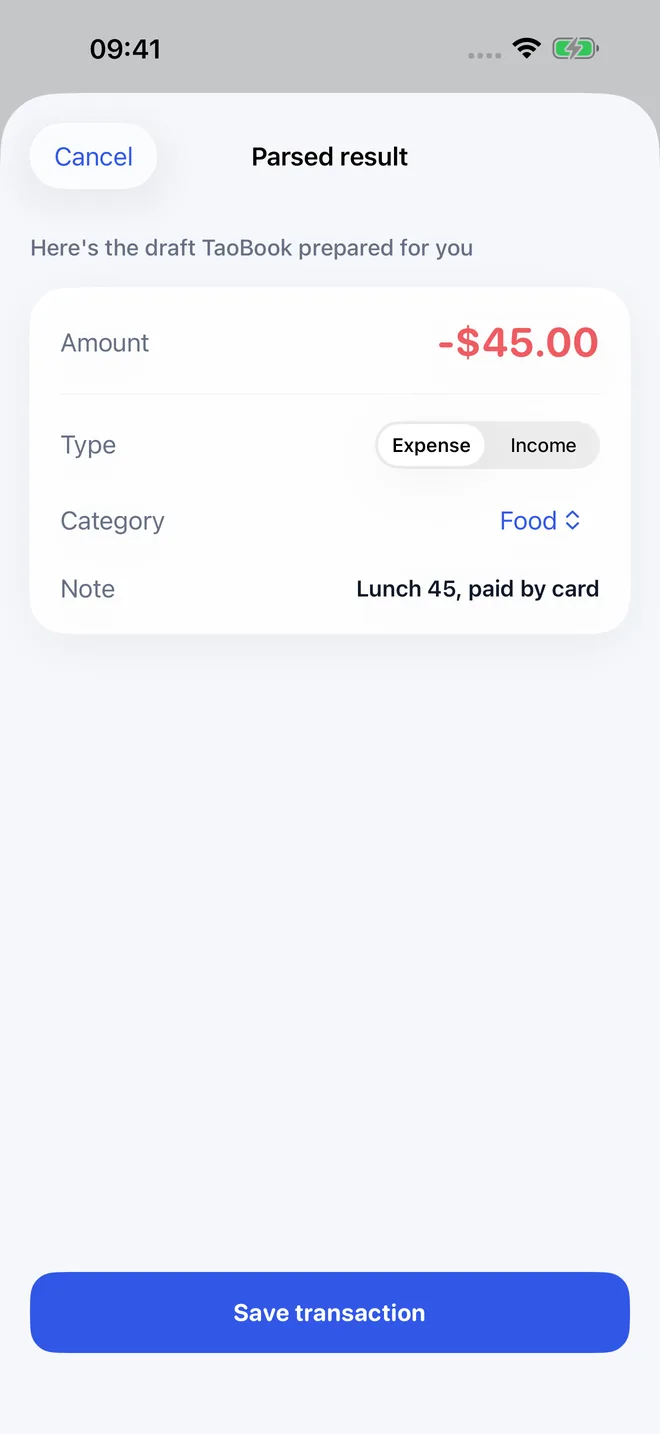
In TaoBook, text or voice can create an editable draft; receipt text recognition is on-device.
Check amount, date and category before saving. This is not a timed performance test.
Step 3 — Give your money a job
A budget is a decision made once instead of daily.
Start with 50/30/20 — roughly 50% of take-home pay for needs, 30% for wants, 20% for savings and debt —
then set category budgets only for the two or three lines that actually overspend.
Monthly works for rent and utilities; yearly budgets suit insurance and holidays.
What matters is a number you can check in one glance, not a spreadsheet you maintain.
Step 4 — A weekly review checklist
Once a week, look at three things: total versus budget, the top category, and one surprise.
Make exactly one adjustment — move a budget line, set a soft limit, or change nothing on purpose.
The review is where logs become decisions; five minutes, weekly, is the cadence that survives.
Common traps
- Over-categorizing. Every new category is a tax on every future entry.
- All-or-nothing guilt. A missed week costs nothing if you restart today; quitting over a gap is how systems actually die.
- Ignoring cash. Round cash spending into a weekly "cash" entry if per-item logging won't happen.
- Tracking without reviewing. Data nobody looks at is a diary, not a tool.
Frequently asked questions
Record amount, date, category and payment method; add a note when it helps reconcile a receipt.
Review a complete period before drawing conclusions. There is no guaranteed percentage of value or time-to-savings.
Bank linking is not required for manual tracking, but no method has zero privacy risk.
Start with one sentence
You don't need a perfect system — you need today's data point.
Log your next purchase in one sentence and let the first entry be now.
- Get TaoBook on the App Store (iPhone, iOS 17+)
- More on the TaoBook product page
TaoBook is a personal recording and budgeting tool. It is not financial, tax, or investment advice.
Actual app screens: review before saving
References
[1] https://www.consumerfinance.gov/consumer-tools/educator-tools/your-money-your-goals/toolkit/
[2] https://apps.apple.com/app/taobook/id6799651154