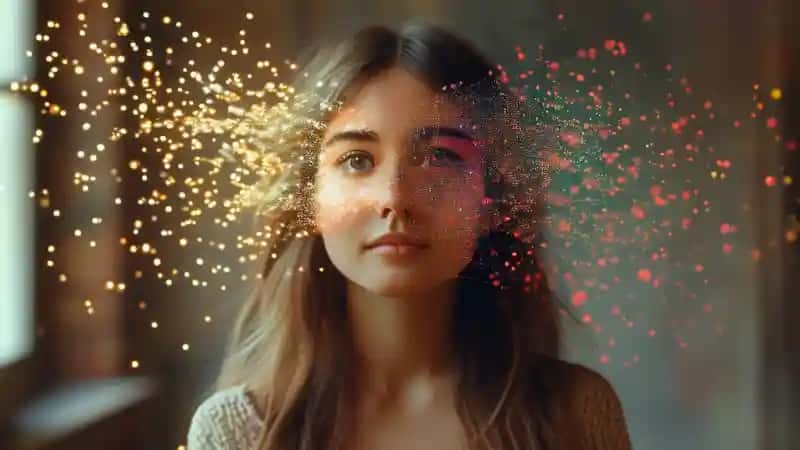
AI Portrait Generator: Features From a Photo
AI portrait generator features: photo or prompt input, style presets, background swap, likeness controls, edits, variations, downloads and privacy terms.
What features does an AI portrait generator have?
Most AI portrait generators offer photo or text-prompt input, style presets such as headshot, anime or painting, background replacement, likeness controls, retouching and local edits, multiple variations, downloads at a stated size and format, and data-handling controls for uploads.
Not every tool has all of them, and likeness is not guaranteed: compare the output with the original photo.
For TaoImagine, verify current formats, pricing and retention on its product and privacy pages.

Key Takeaways
- 1Privacy and usage terms : rules for how uploads are stored, deleted and whether results may be used commercially.
- 2An AI portrait generator turns a photo, a text prompt or both into a new portrait image.
- 3An AI portrait generator makes or changes a portrait from a photo, text or both.
Quick answer
An AI portrait generator turns a photo, a text prompt or both into a new portrait image.
Most online AI portrait generators offer these core features:
- Photo upload or text-prompt input: start from your own picture or describe the portrait you want.
- Style presets: for example professional headshot, studio lighting, anime, watercolor or oil painting.
- Background replacement: swap a messy room for a plain, office or outdoor backdrop.
- Likeness controls: settings or retries that keep the face closer to the source photo.
- Retouching and local edits: fix a detail such as hair, clothing or one area without starting over.
- Multiple variations: generate several drafts and pick the best one.
- Download options: export at a stated size and file format, sometimes with upscaling.
- Privacy and usage terms: rules for how uploads are stored, deleted and whether results may be used commercially.
Not every tool has all eight.
Treat the list as a checklist and confirm each item on the provider's current pages before you upload a face.
Disclosure and scope:
TaoApex operates TaoImagine. This is a guide to checking a tool, not an independent product test.
It does not report measured speed, face accuracy or privacy results.
Product and source information was reviewed on October 24, 2026.
What is an AI portrait generator?
An AI portrait generator makes or changes a portrait from a photo, text or both.
The result is a new image, not proof of a real event.
It can change the face, clothes or background in ways you did not ask for.
Some tools work from an uploaded photo. Others work from a text prompt.
Hugging Face's image-to-image guide shows one way to use an image and a prompt together.
It does not establish how TaoImagine or every portrait tool works.
Which features should I check?
| Feature | What to try | What not to assume |
|---|---|---|
| Photo input | Upload a permitted, non-sensitive photo that meets the tool's rules | Every file type or group photo will work |
| Style and background | Ask for the look you need, then inspect the result | A style name guarantees the same result each time |
| Face likeness | Compare the new image with your original | The tool will preserve every facial detail |
| Fixes and edits | Check which parts you can change after a draft | Every tool lets you fix a face or a small area |
| Download | Open the saved file and check size and format | The preview is the full-size file |
| Photo privacy | Read the policy for uploads, storage and deletion | A good image proves your photo was erased |
| Use rights | Check your plan, the service terms and the intended use | Paying for an image clears every right |
These are checks to make, not a list of features promised by all products.
If a needed feature is not documented, ask the provider or try a safe test.
How do I check an actual portrait?
Keep the source photo beside the result. Look at the eyes, teeth, glasses, hair and edge of the face.
Check the hands and clothes if they appear. A nice color or background can hide a changed face.
Then open the downloaded file. Check its format and pixel size.
View it at the size where you will use it. A small profile image and a print need different checks.
If you compare tools, use the same permitted input. Note the tool, settings and date. Save the actual outputs.
Do not call a tool the fastest or most accurate based on one demo or an old feature table.
How should I prepare a photo?
Use a clear photo where the subject is easy to see.
Check for private documents, addresses and people who did not agree to an upload. Keep an original copy.
Follow the tool's current input rules. A larger file is not always a better input.
A group photo, unusual pose or pair of glasses may need more care.
Inspect the result even if the input is clear.
What should I ask about privacy?
Before uploading a face, ask who receives the photo, where it is stored and how long it is kept.
Check whether it may be used to train a model. Find out how to request deletion.
Do not infer any of this from the finished image.
The UK ICO guidance makes a distinction between ordinary photos and data processed to identify a person uniquely.
A face photo is not automatically special-category biometric data. An identifiable photo can still raise privacy duties.
The ICO notes that this guidance is under review.
For a trial, use a permitted photo without sensitive details.
Read the specific service policy before using someone else's face or a private work image.
Can I use the result for a profile or paid work?
Check the rules of the platform or workplace first. A creative portrait is not automatically valid for an identity document.
Do not add a uniform, event or qualification that the person did not have.
For paid work, check the service's current terms and your plan.
Permission from a tool and copyright protection are different questions. The U.S. Copyright Office report discusses the role of human work in copyright.
It does not approve a particular portrait for every use.
Names, logos and other people's faces can raise separate rights questions.
Read the AI image rights checklist and seek qualified advice for a high-stakes use.
Where can I check TaoImagine's current offer?
Use the TaoImagine product page to check its stated workflow and current purchase terms. Read the privacy policy for data handling.
This guide does not give a fixed free quota, output size or speed for the product.
Start with a safe input. Inspect the result and the saved file before paying for a larger task.
A demo is not an independent quality test or privacy audit.
Frequently asked questions
Does an AI portrait generator preserve my face perfectly?
Do not assume that. Compare the result with the source photo and check small details.
Use the tool's current edit controls or try another draft if the face changes.
Is every AI portrait generator free?
No. Free access, quotas and paid plans vary by service.
Check the current offer before you upload a photo or pay.
Are uploaded photos automatically deleted after generation?
Do not assume that. Read the provider's policy for processing, storage and deletion.
The finished image does not prove that your source photo was erased.
Sources and review limits
- Hugging Face image-to-image guide: one technical method, not a feature list for every tool.
- UK ICO biometric recognition guidance: the scope of face-photo processing, not a product privacy audit.
- U.S. Copyright Office report: human work and copyright; not a clearance for a specific image.
References
[1] https://huggingface.co/docs/diffusers/using-diffusers/img2img

TaoImagine
Turn Every Snap into a Masterpiece